Thursday, May 7, 2015

Lyrical Livelihood

Hey guys!! It's Talia again and I'm so excited about our new 4th quarter GT project. Our new Gt project for 4th quarter is MUSIC VIDEOS!! I can't wait to start filming and lip syncing to our favorite songs!! Keep reading to see what I think about this new project, but you can probably already tell that I am extremely excited.

My favorite song is "Someone like you" by Adele. This is one of many songs that Adele has created and sang, there's just something about this song that stands out to me than all of the others. I really like the lyrics for this song because it's about how Adele found true love long ago, but it ended and she's been trying to get over it, but she can't and to make it worst he gets married and now she has a whole bunch of mixed emotions. She tries to remind him of her and hopefully he'll see that he loves her too. I just really like how she went through all that trouble and how she still wants him to like her, but nothing changes and I just LOVE how she still remembers what he said to her a long time ago and that she tries showing him that she still cares.

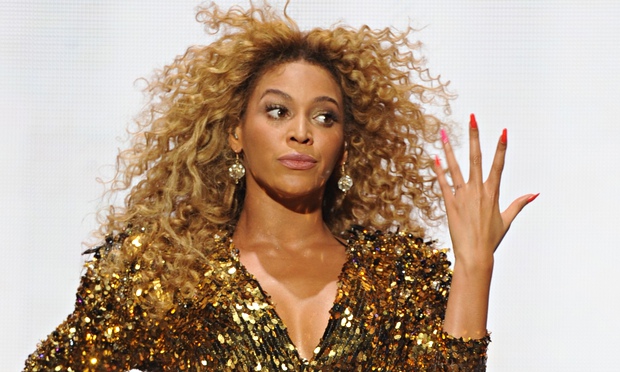
My team and I picked the song " Single Ladies" by Beyonce. We chose this song because we all thought that it was a cool and up beat song sang by one our favorite singers. The song is also relatable because sadly my team and I, Lani and Asha, are single. We thought this song really had some meaning behind it and it's just a really good song. The song "Single Ladies" is about how a girl, Beyonce, is left alone and she meets a guy and a whole bunch of stuff happens and she's not single anymore, but in the beginning she'll feels lonely and tries dancing it off and forgetting about it. I think that we chose a really good song because it's so upbeat, fun, fast, and just really new for my team and I. With this song my team and I could create a really fun and interesting dance to go with it our groovy moves would make this song 10x better than just us singing.

Our visual story is saying that there's a girl and she has recently been in a relationship, but it ended so now she's single and another is crushing on her and her ex is getting kind of jealous so she sings about how he should of "Put a ring on it" when he had the chance:)) to create this video we'll try to have a boy and we'll be crushing on him, but he rejects us so, we start dancing and singing that we're single. After that we lip-sync to the music in our video and we'll have another guy crushing on us and the other boy will get jealous. We keep lip- syncing and dancing.

Beyonce Knowles

Production Plan

Friday, April 24, 2015

Our Animation Story

Hey guys!! it's me again the writer of this blog that you are of course reading right now, haha:)) Well hope you enjoy reading this blog post and make sure you tune into my next post enjoy!!

Our current project right now is to create an Animation based on a real life story that happened to one of our teammates. I explained what our story is about in my previous blog post so you can check that out after you're done with this one or you can take quick look and come back doesn't really matter to me:)) Our focus statement is "Raiden discovers Origami." Our focus statement basically tells the story of how Raiden found his true talent and the struggles he had along the way to actually discover it.
Our audience will learn that you can't just give up on something you have to look deep down because some talents come out of nowhere and you have to look for them. they will learn how to not give up from this animation by just watching and listening on how Raiden didn't give up and how he had to look for his talent and be dedicated to it so he could get better. The audience can listen to how he responded with other people who actually had talent and how he didn't have any talent, but he tried and tried and tried in finding something special and with heart and dedication he stumbled upon his new talent. We want to get across that you might think you don't have any talent or that you're just really boring, but the truth is you have to actually find your talent and your uniqueness because everyone is different in a lot of ways, but it's up to you to discover it.

Our best moments as a team were actually splitting up the jobs and all teammates collaborating together. Then after finishing the scenes, the sound track, and other things related to the animation we all got together and imported them into iMovie. The hardest moments as a team were at first figuring out great ideas for our focus statement and actually agreeing on one because we all had different ideas. Some of us didn't want the ideas others had like Raiden would come up with one idea and I didn't agree or i came up with one and Linden didn't agree. As time went on our team Raiden, Linden, Quinn, and me.

Well that's all for now hope all of you Talianators tune into my next blog post!! big spoiler alert, but our next project has something to do with music!!:)))) See you guys next time bye i love all of you:*!! <3<3<3<3


Tuesday, April 14, 2015

Animation Outtakes


Hey, it's Talia again and our current project for GT is to create an animation story about one of our teammates; our story is about Raiden. My other teammates are Linden Johns and Quinn Consylman. One interesting fact about Quinn Consylman is that he never goes outside unless he has to go to school. Another interesting fact about Quinn is that he hasn't cut his hair since last year. One interesting fact about Raiden Kurisu is that he is 100% Japanese, but can speak good English. Another thing about Raiden is that he is extremely good at making origami figures. One interesting dfact about Linden is that he learned to read and do math from a cook book. Another interesting fact is that when he was in first grade the first day was so easy that the next day he was moved up to 2nd grade. One interesting fact about me is that I have been playing soccer for about 8 years straight. Another interesting fact is that I believe I am related to George Washington.

In this project we are required to use animation techniques so, I'm here to explain just a couple of those animation techniques. One animation technique is called stop-motion. Stop- motion is basically just trying to make a object or person appear that it's moving in its own. Another animation technique is GIF. Gif is short for Graphics Interchange Format, which is just multiple frames playing over and over again. There are a couple more animation techniques that are pretty cool and really interesting that we could also use in our story like Styks, Photo Shop animation, claymation, etc.

We are telling Raiden's story. His story is about how he discovered his talent which is creating Origami figures and how he struggled at having a special talent. He always wanted  a special talent, until the day he thought of making a crane and apparently made it with no help at all. He started practicing and practicing on his origami figures and struggled a lot, but he found this cool website, YouTube. YouTube really helped him get better at his passion and here we are making an animation story that talks about Raiden and how he found Origami. You should care because we are talking about how hard it was for Raiden to find his talent when all the other kids in his school had already found it and how Raiden felt lonely because he was the only one that didn't have this special, amazing, and incredible talent. We exp-lain the struggle and dedication he had to find his talent. If I were you I would totally care about this story because it has meaning. That meaning is about Raidne and his discovery of his special talent, Origami.

That's the end of this blog guys haha:)) Hope you guys stay  tuned to my next blog post and i'm opretty sure that it will have the final animation story See you guys later:)) Peace Out Talianators

Friday, March 13, 2015

Typography Images

Hey guys!! so our current project in GT is Typography Portraits you guys are probably wondering what in the world is typography and what is a portrait. Well that's why I'm here; to tell you guys. Typography is a type of art where you go step by step moving around words or type in a printed matter. Portraiture is the art of creating a portrait, a portrait is a picture of a person or group of people faces; other parts of the body may be included, but the face is the main object. When you put typography and Portraiture you get Typography Portraits. Typography Portraits are taking type or words and placing them in the positive space of a portrait picture. Typography portraits can be used to make a lasting impact by having a picture of the main person and having inspiring words and that's all I know about that.


My biggest challenge in this Typography Portrait Project was that in the beginning of the project my text wasn't showing up, so I had to fix this problem with out Mr. Sanderl. The first ting I did was go to the text editor thing on the right side of Photo Shop. I just started messing around with the editor and found out that my text were really close together so it looked like little dots. I also realized that the text was really small and the height was bunched up, so I increased the size of the text and made the height a taller so the text would be visible and clear. You guys are probably going to think I get really excited about really small things after I say this, but that's okay. After I accomplished fixing the text I kind of sort of started cheering my brain off saying, "TALIA YOU DID IT!!, TALIA YOU DID IT!!, TALIA YOU DID IT!!", but I mean I couldn't help it I was so proud of myself for doing all of that without Mr. Sanderl's help. That's how I had a problem and then solved it.

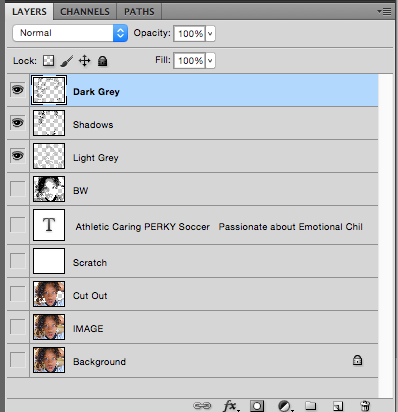
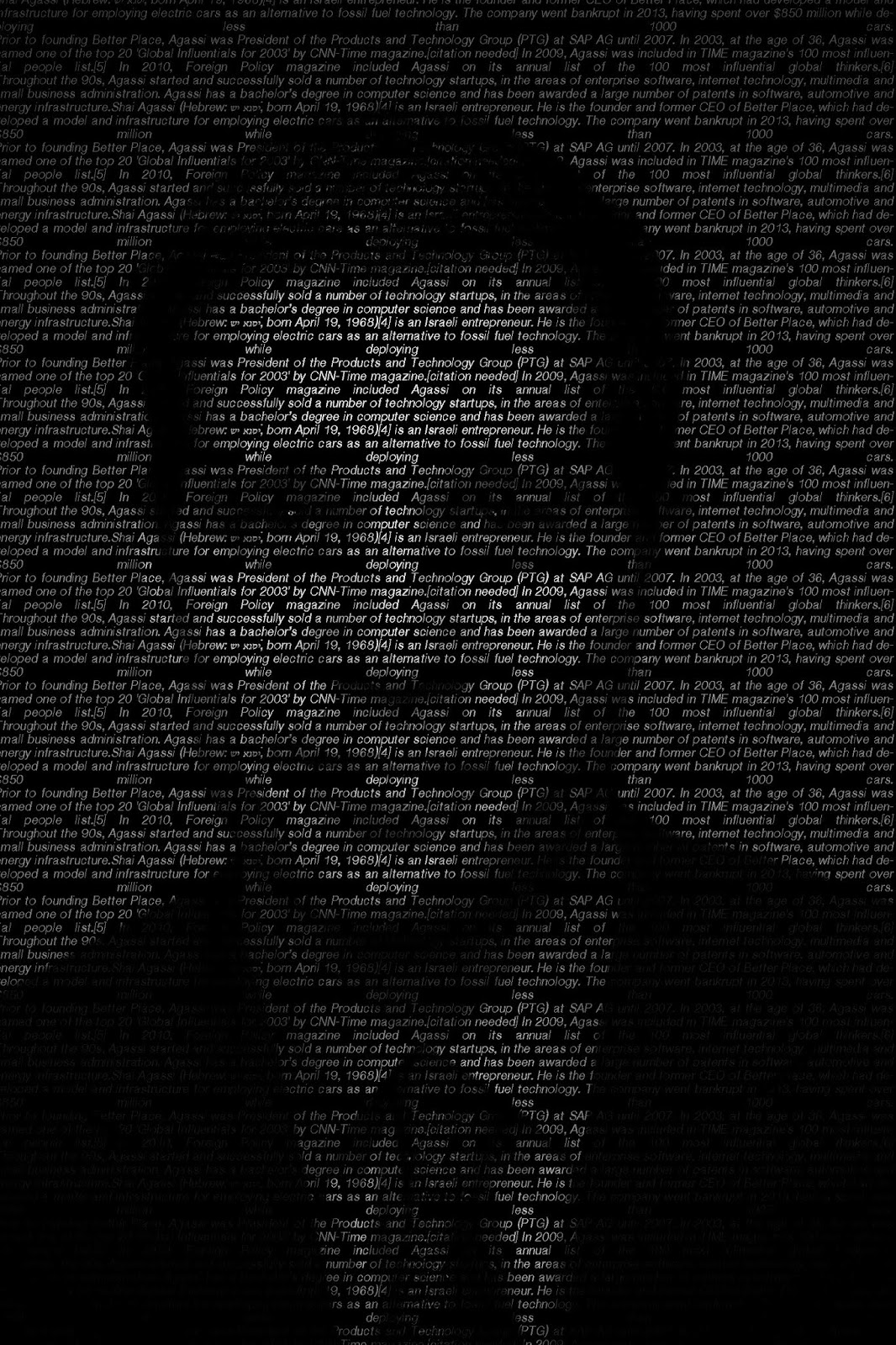
I have 3 examples to share with you and they're down below at the end of this blog post just scroll down and they're there. The first example of my 3 is the Innovator portrait. The Innovator portrait was a portrait picture of a well known innovator I chose Shai Agassi. With the innovator portrait we did it a little different than the two other of my examples. With the Innovator portrait I first I loaded it in to Photo Shop. Then, I filled a new layer with black and started pasting the text I copied from Wikipedia into a text box. Next, Masked the text layer and copied the original image and pasted it into the mask. After that I was done!! My next example is the teacher Portrait. With the Teacher portrait we basically did the same thing, but instead of a black background I used a white background. My teacher was my AMAZING mom, Mrs. Washington; the Library Clerk. My final example is the Portrait of my favorite thing ME!! The process of this example is a little different from the other examples; instead the portait of me we used turned the cut out Black and White. These are the steps.

Hope you guys enjoyed this blog post and make sure to scroll down for my earlier post


Wednesday, February 25, 2015

Double Exposed Portraits

Hey guys! so our current project in GT is to create a Double Exposed Portrait. Portrait photography is photography of one person or multiple people showing emotion, personality, and mood of the subject. When taking portraiture the face is the main focus of the photograph, but other parts of the body may be added if necessary. The portrait photography is related to Silhouette because the profile image strongly depends on the main parts of the face (chin, nose, and forehead) these features make the image clear and understandable. When taking a portrait photograph you include the chin, forehead, and nose because those parts are part of the face which is how portraiture and profile view are related. It's related to profile view because both have a side view, outline, or represent some type of object.


This is an explanation on how double exposed portraits are created. First, take 3 amazing photos; 1 being the profile and 2 photos of anything you like or symbolizes you. For example you could capture shots of trees because you really like trees or you could take a picture of flowers, your favorite sport, beach, etc. Then, after taking those incredible photos you need to import them and open them in photoshop by first clicking on File > Scripts > Load Files into Stack. After all of your layers are there, there's a dodge tool icon on the left pallet the tool looks like a balloon with a straight stick coming out of it. When you click on that tool the brush icon should now be your mouse and you need to adjust it where it's either hard or soft big or small, but you really want to get around the edges so I would suggest using a small brush. After your done dodging your image you need to size and then crop your image. Once you've done that turn all of your layers to screen mode and after you've done that all images should be opaque.

The two symbols I used are soccer and a sunset. i used these symbols because I thought that these really symbolized what I do with my free time and what I love to do. I took a picture of me with a soccer ball and my cleats because soccer is only like my number one favorite sport ever!! i love soccer and when Mr. Sanderl said that we had to rake pictures of what we love to do Soccer is the first thing that came to head. I used a sunset that I took from my church because I thought that the way the trees blocked some of the sky kind of told how i'm shy when I first meet you and then when you get the inner me, you really know me, and you got your way through my barrier it's very bright and vibrant because i have a very enthusiastic personality and i'm just very colorful, but you can only find out if you get through to me. I just really liked these topics that i took pictures of.

I hope you enjoyed reading and looking at this weeks post I hope you read and view all of my other post and have an Amazing day!! See ya Later:))

Thursday, February 5, 2015

HDR Photography

Our current project for GT is to take seven pictures of a landscape of our choice. HDR aka High Dynamic Range is a process that creates a clear scene to the eye by taking multiple contrast images. High Dynamic Range is used when your in the worst situation possible, you have the perfect shot and your at the golden hour of the day, but your camera sucks, and the balance of your colors are really uneven and the image looks extremely weird. I really like that instead of seeing really blurry and unbalanced photos the photos you've processed with HDR come out to be crystal clear and when you use HDR your photos turn out really detailed and amazing.

To create a final HDR image you need to follow these steps.
-Take 7 amazing photos from dark to light
-Import them to your device(make sure you have Photoshop)
-Go to Photoshop and click File>Automate>Merge to HDR Pro
-A pop up will come and you need to go to your folder and pick out the 7 photos
-Click ok, and Photoshop will do the rest
This is totally different from automatic HDR; when using auto HDR the device does all of the processing by itself you don't really have to do anything because the device is doing it for you. When you create an HDR image manually it feels like your actually learning something because you're going through the process of making the image, and not the device that uses auto HDR.

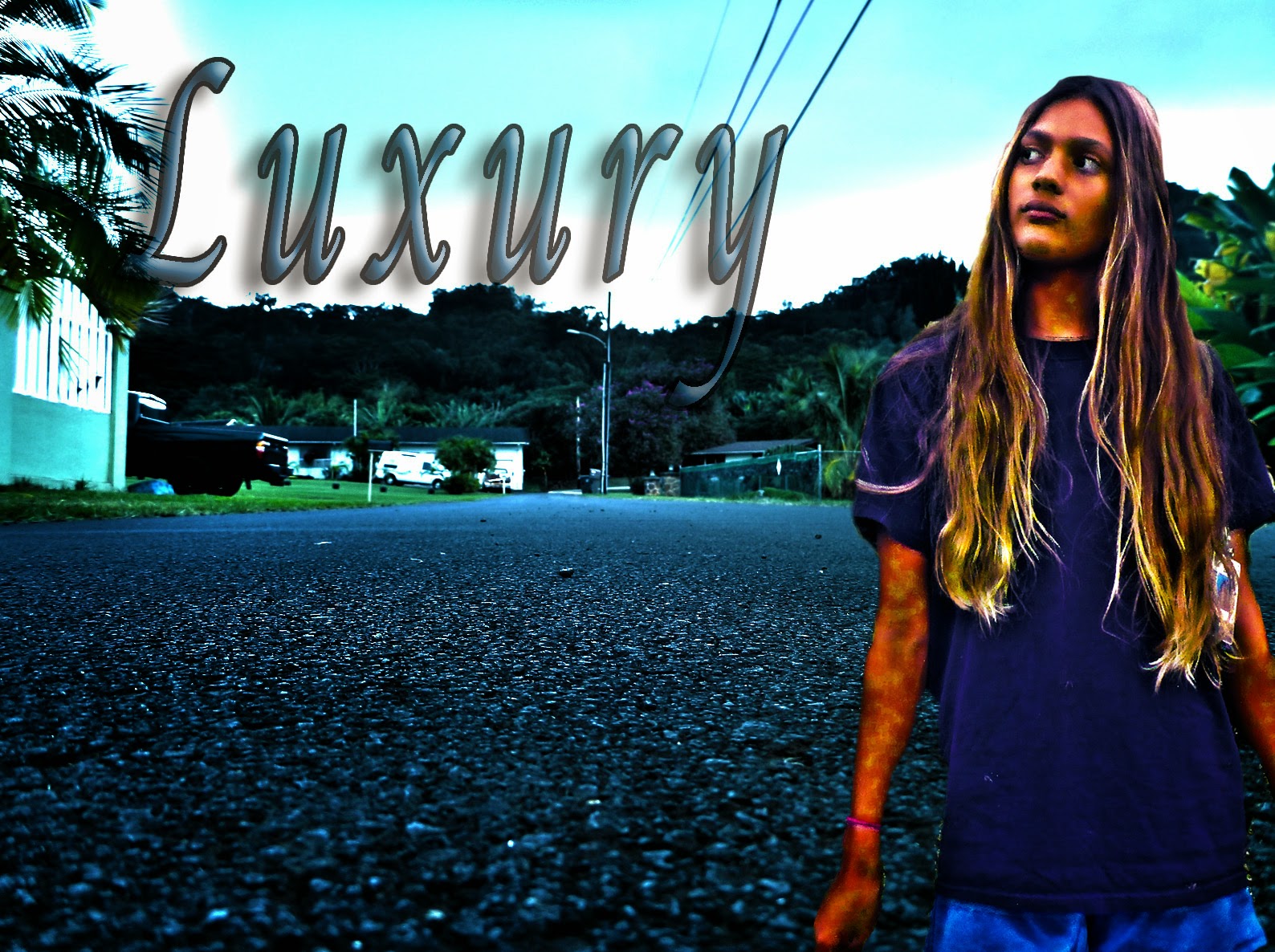
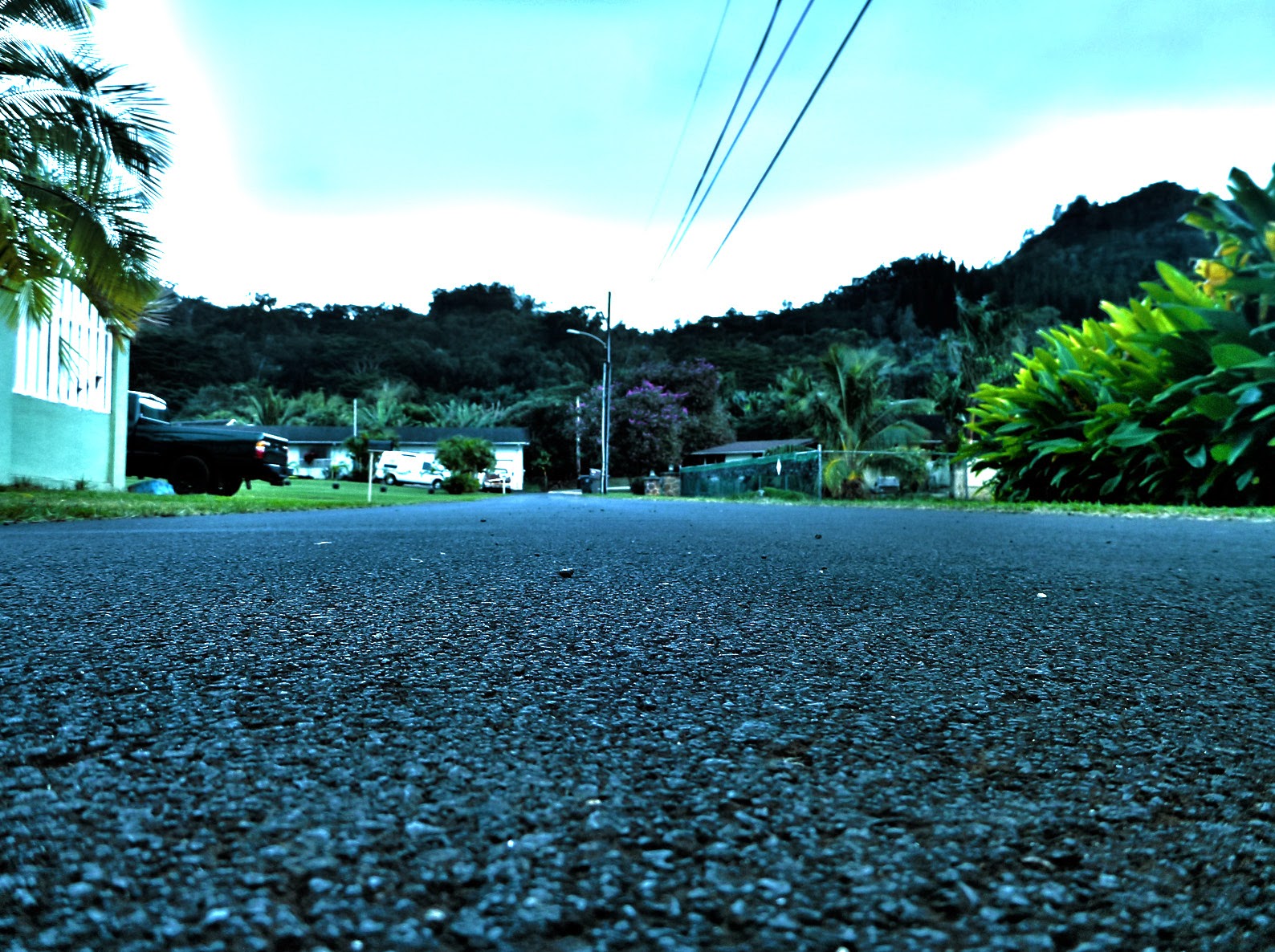
For my first photo, the HDR landscape, I knew I had a beautiful scene behind me, the sleeping giant, so I decided that since I have such a wonderful scene why not use this scenery to make an outstanding image. I really wanted a line that leads to somewhere (leading Lines) so, I thought of using my road as a line and I could get on the ground so that it would look like it was leading to my neighbors house. I also realized that by getting on the ground I would create sort of and unusual angle. I took my shots and thought they were really good so I kept them. For my other HDR image the HDR Experiment, I thought of getting my mom. I thought put my mom on the side of a vase with beautiful bright flowers to brighten up the portrait. I placed her in the rule of thirds, but I made the mistake of not giving her enough look room. I only realized that during Mr. Sanderls' class when he was critiquing my HDR Experiment.

Wednesday, January 21, 2015

Movie Trailer Critique


Hey guys! So, our recent project for GT was to create a movie trailer critique. In this movie trailer you and your team had to put your minds together and think of a creative and appropriate trailer for 1st graders. After you had your idea you needed to check out a camera and start FILMING! My team KasiahMaddie, and Arianna decided to make our trailer a mystery movie Kasiah played Rebecca the victim, Maddie was the narrator, Arianna was Amethyst the robber/assistance, and I was Thalia the Detective. We checked out a camera and started shooting parts to our trailer; the first thing we did was take some pictures for the movie poster. Then, we shot the first scene which was about how Amethyst the robber stole Rebecca's ring. Finally we continued shooting as much scenes as we could in the amount of time we had before our parents came to pick us up.

All of the GT students had to then accomplish the requirements for this project. The requirements for this project were; it had to be 1 minute and 30 seconds to at most 2 minutes and 30 seconds, it had to have 5 scenes, include a Voice Actor, Dialogue, Foley, Text Layovers, and a Movie Poster. My team and I met all of the requirements; we had 1 minute and 30 seconds of footage, we had about 6-7 scenes, Maddie was our Voice Actor, We got Kasiah to stomp her feet for the foley and we also hit a stuffed animal against a wall for a thump sound.Our text layovers consisted of the basic "Coming Soon" and "In theaters near you. Finally my team and I all had to make a creative poster to go with our movie trailer, so we all created one, but we went with Kasiah's poster because as a team we thought her poster had a little more flare than the rest of ours.

Finally, after the entire class shared their movie trailer with us we had to critique them. The class critique I thought was pretty reasonable. The class resulted the project as the second best movie trailer with a total of 7 votes for the overall best of the movie trailers. I thought that the results were really good, Snoopy George was a great movie trailer, and ours could've been better, but I am actually really proud of my team, and our movie trailer. I totally agree with the results they gave us we accomplished all of our requirements, but we could've gone above and beyond! I learned that if you work otgether with your team you can accomplish A LOT of things